iBEAM Tech Tips
Tech Tip: How to Embed Photos or Live Video
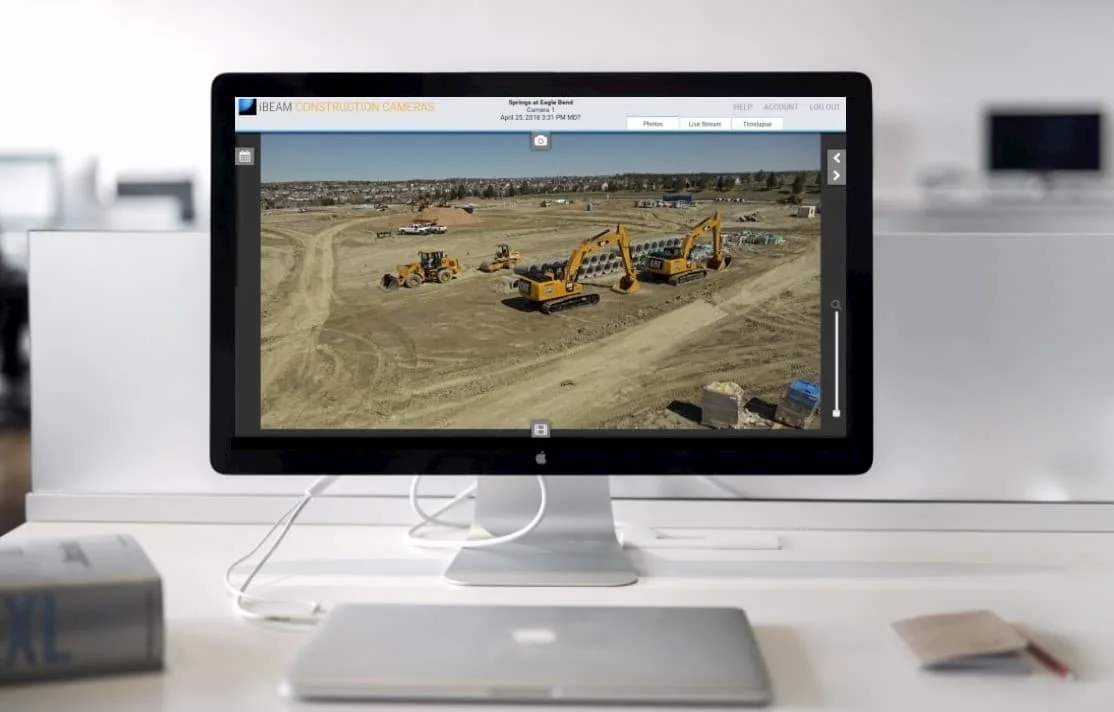
How to Embed a Photo or Live Video in your Website
Showcasing your hard work, in-progress updates, and completed projects is an essential part of marketing in today's overcrowded marketplace. It shows potential partners and investors what you and your company are truly capable of.
Today we're going to look at how to accomplish just that - showcasing your hard work by embedding the most recent photo or live video of your project on your website. (These instructions assume that you are already logged in to your camera web page. Contact the iBEAM Support team if you need help logging in.)
Adding the Most Recent Photo to your Website
This method displays the newest photo every time a visitor comes to your web page.
Step 1: Contact iBEAM Support (800.403.0688 x2 or support@ibeamsystems.com) for the URL of your embeddable most recent photo. You will be able to choose the size of the photo to display and whether to include a time and date stamp.
Step 2: Have your web developer embed the most recent photo on your web page using the URL we provide. This is as easy as embedding any other photo.
Step 3: Share the updated site page with your clients and followers, and enjoy viewing the most recent captured photo from your project via your iBEAM Construction Camera!
Adding Live Video from an Ethernet-connected Camera to Your Website

NOTE, these instructions are specifically for Ethernet-based iBEAM Fixed 4K, Fixed 4K Premier, or PTZ 4K construction Cameras.
Step 1: Contact iBEAM Support (800.403.0688 x2 or support@ibeamsystems.com) for custom HTML code for embedding your camera's live video feed.
Step 2: Have your web developer add the video feed to your web page using the HTML code provided by iBEAM.
Step 3: Share the updated site page with your clients and followers, and enjoy viewing the live video from your jobsite via your Ethernet-connected iBEAM Construction Camera!
Want to Share your Cellular-connected Live Feed?

Due to the potential for large data overages from sharing live video from a cellular-connected camera on a public web page, we strongly advise against doing so. Please contact us if you would like more information about this issue and to learn how other iBEAM users are sharing their cellular-connected cameras on their websites.
As always, don't forget to share and forward this info to your team so they're informed and kept up-to-date on everything your iBEAM Construction Camera can do.
If you have questions about your iBEAM Construction Camera, contact our support team here. You will speak with a real person, not a recording!

iBEAM Systems, Inc. is a WBENC-Certified Women's Business Enterprise (WBE), serving the construction industry since 2001.