iBEAM Tech Tips
Tech Tip: How to Relocate Your Camera
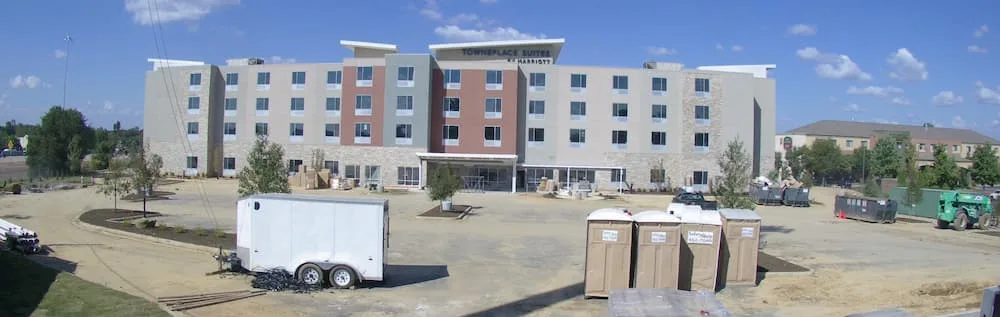
How to Relocate Your Construction Camera
It's time for the last iBEAM Tech Tip, and it's all about relocating your camera to a new location on the same project, as well as getting more out of your camera by using it on both the exterior AND interior of your project.
 Relocating Your Camera
As construction progresses, it may be beneficial to move your camera to a new location on the site for a better view of construction activity. Relocating your camera is easy, and a little effort to verify that the camera is properly set up for the new location can make a big difference in your results.
Step 1: Unplug and take your iBEAM construction camera down from its current location.
Step 2: Reinstall the camera at its new location and plug it into power.
Step 3: If you're using an iBEAM Fixed 4K or a Fixed 4K Premier construction camera, simply login to your iBEAM web page and view your live video feed to ensure the camera is pointed at the right part of your project. Make adjustments to the camera's alignment as needed.
If you're using an iBEAM PTZ construction camera, contact the iBEAM Support Team to have a new Home preset set on the camera.
Using Your Camera on Project Interior

Some users may be unaware that their iBEAM Construction Camera works just as well inside as it does outside. Moving your camera inside when the time is right can help you document more of what is happening on site. Relocating your camera indoors is easy:
Step 1: Once the exterior work of your project is complete (or once you've documented all of the exterior work you'd like to capture), re-install your construction camera at an interior location at your project.
Step 2: Ensure your camera is aligned properly (and contact the iBEAM Support Team to set a new Home position if needed).
For tips on properly relocating your construction camera on the same project, refer to the previous section.
And remember, additional cameras can help capture your project from alternate angles, so if you need to add a camera to your project, contact your sales representative. As an existing iBEAM customer, you qualify for our 10% multi-system discount. Don't forget about our camera rental program, which can be a cost-effective way to add more cameras for short periods of time.
Once more, make sure to share and forward this helpful info to all relevant team members to keep them informed and up-to-date.
What to Expect Next
Once your project is officially completed, we will start production of your custom time-lapse video. You will work directly with one of our video editors to finalize that video with your logo, titles, etc.
If you have an upcoming project that requires a construction camera, please let us know and we'll be more than happy to help out. With purchase and rental options available, there's no excuse NOT to document all of your construction projects with iBEAM cameras.
P.S. — If you happen to know of anyone that might benefit from a construction camera, please refer them our way. Once they become an iBEAM client, you'll receive a $250 referral bonus! Just make sure they mention you're the one that referred them to us so we can credit your account accordingly.

iBEAM Systems, Inc. is a WBENC-Certified Women's Business Enterprise (WBE), serving the construction industry since 2001.